How to Pre-Order Phantom Blade Zero: Step-by-Step for Every Store
Published 2026-08-12Updated 2026-09-174 min read
Pre-orders for Phantom Blade Zero opened August 12, 2026 — exact steps for Steam, Epic, WeGame and PS5, plus refund rules and bonus details.
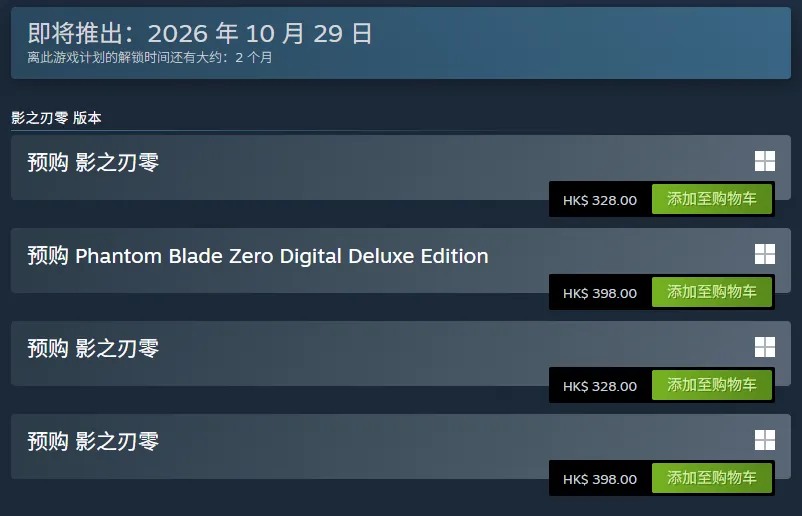
Phantom Blade Zero pre-orders opened August 12, 2026 at 10:00 (Beijing time) on all four storefronts, ahead of the October 29, 2026 launch. Here is the walkthrough for each.
Steam (PC)
- Open the Steam store and search "Phantom Blade Zero"
- On the store page, choose Standard (¥268) or Digital Deluxe (¥328) and complete checkout
- Tip: add it to your wishlist first — you will get a launch-day notification if you would rather wait
Epic Games Store (PC)
Search "Phantom Blade Zero" in the Epic store and check out with your chosen edition. Identical build to Steam; see the buying guide for when Epic is the smarter door.
WeGame (PC, China)
Open the WeGame client, search the game, and order once the pre-order channel shows live — reservations opened even earlier on this platform (details).
PS5 (PlayStation Store)
On the console, open PlayStation Store, search "Phantom Blade Zero," and pick Standard (HK$328) or Digital Deluxe (HK$398). PS5 Pro owners get the enhanced 4K/60 mode automatically.
Fine print worth knowing
- Pre-order bonus (both editions): the Treasure Bowl (Jubaopen) accessory and Legacy (Chuancheng) outfit
- Refunds: full refund any time before launch; after launch, standard platform policy applies — on Steam that means under 2 hours played within 14 days
- Deluxe contents are cosmetic and digital-art only — see editions compared
- Physical collectors have a separate path entirely: the Collector's Edition box